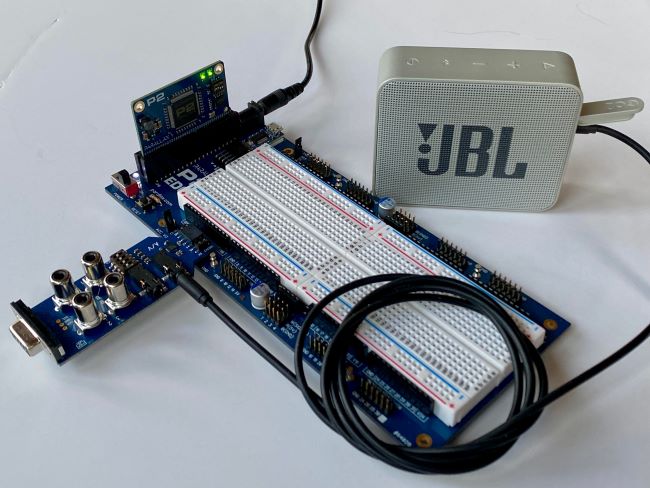

Description #
simpleSound is an extension of the reSound object for playing MOD file formats (the first file format for tracked music on the Commodore Amiga, created with ProTracker). The reSound object was originally created in September 2020 and has a forum thread, under Additional Resources.
The simpleSound files are most well recognized for their use in video games, sound effects, and synthesized dance music. SimpleSound provides a quick and interesting way to add these sound effects to your Propeller 2 project.
This was created by forum member Ahle2 and posted as a beta in February 2021 (see Additional Resources for a forum thread). The code runs in both Propeller Tool and FlexProp (Windows, Mac, Linux). The examples use one cog for the sound engine and one to run the top file.
Technical notes about Simple Sound:
- Adapts its internal mixing frequency to whatever system clock you would want to run at, so it always sounds right while maximizing the sound quality (try changing _clkfreq)
- 12 sound channels by default, but you can have up to 64 by changing some constants
- 4 sound channels are dedicated to playback Protracker Modules
- 8 sound channels (default setting) is dedicated to sound effects
- Play s16, u16, s8, u8, little or big endianess samples, configurable per channel
- Play looped samples
- Play user-defined waveforms (small looped samples)
- Change volume, frequency, panning in realtime individually per sound channel
- Handles almost all available Protracker modules and Protracker commands
- You can pollTick() the music routine for asynchronous music processing, or you can do a tick() for synchronous processing locked to the main loop (needs to be 50 Hz for like 99% of available music modules)
- Runs the heavy sound processing (using the reSound driver) in a dedicated cog
- The music routine and the thin API/abstraction layer to trigger reSound sample playbacks runs in the calling COG and leaves most of the cycle free for other things
If you aren’t ready to pull a Commodore Amiga and find Protracker, there are plenty of ways to edit and create music and sound effects on a modern PC running any OS! Save any sound bite to raw 8 or 16-bit format using any sample rate and you should be able to use simpleSound to play it back with pitch, volume, and panning parameters applied individually per channel. In the normal configuration, you can play 8 samples with applied parameters at the same time, but by changing a constant you can have up to a total of 64 at the same time using just a single cog. If you only want to playback samples, you don’t need to call any tick() or pollTick() method at all. That is only to process the music data.
Examples of several programs used for creating sound files are listed below, under Additional Resources.
For the example simpleSound demos, four zip files are available:
- kg_simpleSound(beta)_example1_just_music.zip – simple demo uses Parallax Serial Terminal and menu-driven system to select and playback individual music files from the collection in the next zip (and shown above in the video)
- simpleSound(beta)_example1_just_music.zip – individual playback of sound files including axel f, gnu, elimin, house my kolsch up, let’s party, pyr and smarioa
- simpleSound(beta)_example2_simple_game_sound.zip – game sounds for fights, space, and related effects
- simpleSound(beta)_example3_advanced.zip – advanced effects of the sounds used in the above zip
To run the examples, you’ll need the A/V accessory (available alone or in the P2-ES Accessory Set), a speaker, or earbuds. Set the audio channels and volume in the source code.
Parts Used #
Source Code #
Programming Language #
Tools and Operating System #
Additional Resources #
- Propeller 2 Spin Documentation
- simpleSound - A simple to use sound engine for the P2 (P2 discussion forum link)
- reSound - A sound driver and mixer for the P2 (P2 discussion forum)
- MOD file format (Wikipedia)
- Audacity (well-known sound creation and output)
- Protracker 2 Clone (sound creation and output software similar to original)
- OpenMPT (modern sound editor)
- MilkyTracker (open source, multi-platform sound editor)


