Description #
Forum member rogloh created this easy-to-use text driver API layer that simplifies the setup in his VGA/DVI/TV driver for a single 16-color text screen at a given resolution. This self-documented driver works in both Propeller Tool and FlexProp.
Some features of this driver:
- easily setup to output via VGA/DVI at different resolutions
- automatic HW cursor control (hidden/block/underline/flashing/solid/colour) and positioning
- window scrolling, clearing to end of line, or screen
- an independent foreground and background colour per character
- driver can process CR/LF/BS/TAB/FF and scrolls screen automatically
- optional flashing text attribute, double high, double-wide pixels are options
- configurable fonts and height, 8 pixels wide, or 16 pixels wide with a 128 character set
- can be readily coupled to SEND()
- the P2 PLL and clock speed is automatically setup for you, no extra config is required
To begin to use this driver to output VGA in 800×600 resolution, for example, is as simple as identifying the BASE_PIN for video:
CON
    BASE_PIN  = 0             ' set to the base VGA pin group (HSYNC pin number)
    VSYNC_PIN = BASE_PIN + 4  ' VSYNC pin number for A/V board wiring
and identifying the p2textdriv object:
OBJ
    vid: "p2textdrv"
. . and start using it.
PUB start()
    vid.initVga(-1, BASE_PIN, VSYNC_PIN, 0, vid.SVGA) ' choose VGA, SVGA, XGA, etc
    send := @vid.tx
    send("Hello World")
Four Spin2 demos using this are included in the zip file along with an updated P2 low-level video driver (p2textdrv.spin2). The demos are:
- helloworld.spin2 – very simple hello world example showing easy setup of the text driver with VGA output
- helloworld_dvi.spin2 – same as helloworld.spin2 demo but with DVI output instead of VGA
- textdemo.spin2 – a demonstration to show the text driver’s features (VGA & DVI selectable)
- widefont.spin2 – an example of using a 16 pixel wide font (outputs VGA)
helloworld.spin2 example:
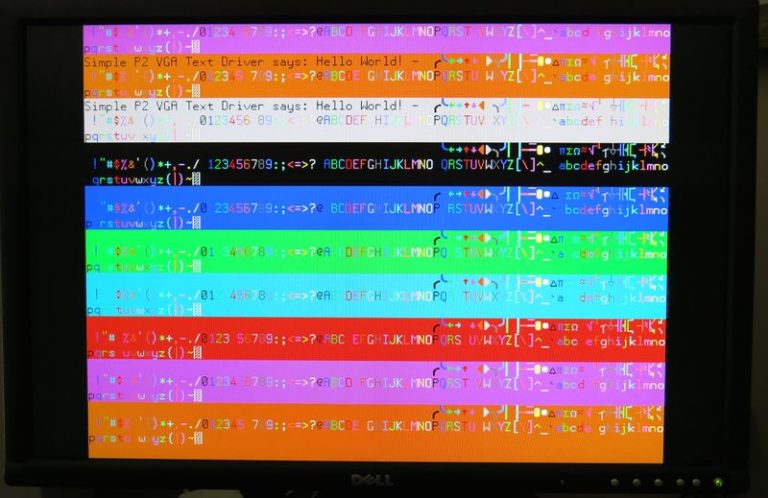
textdemo.spin2 example:
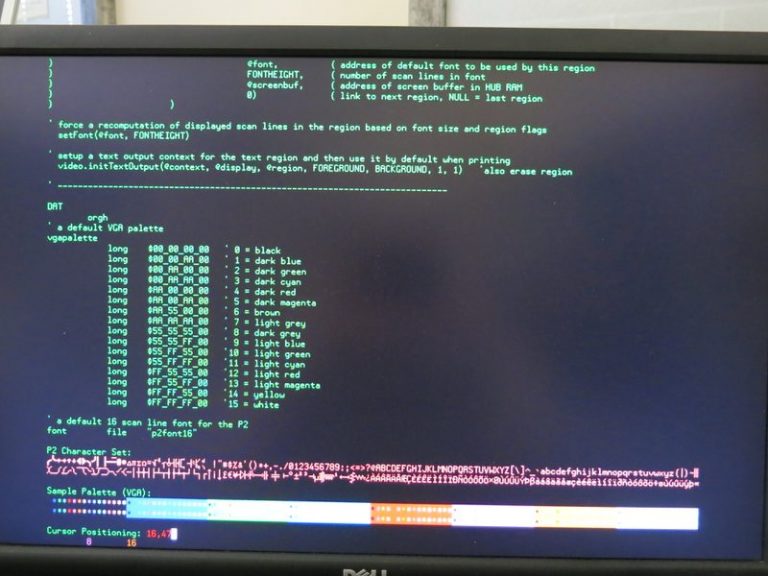
widefont.spin2 example:
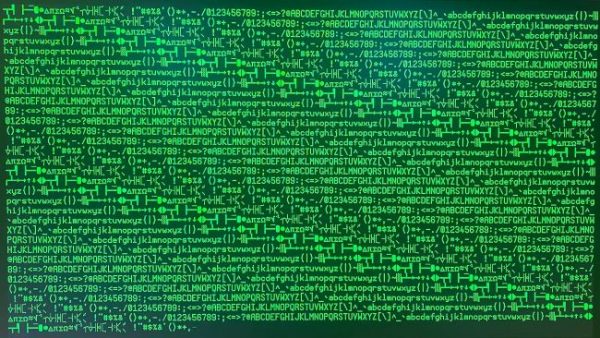
In DVI mode, the video driver is able to output up to 800×600 at 50Hz, as well as 800×480 and 640×480 with the default timings for those. The driver API does also support creating your own custom video timings which is functional now but these demos are not yet making use of that particular feature. You can always try that out to see what is possible.
The default text driver is configured to store text at up to 1920×1200 resolution with a 6 scan line font (240 columns x 200 rows) because that can potentially be setup as part of the provided demos when experimenting with them and I didn’t want it to run out of memory if people tried that so I just maxxed it out. In practice, this can and should be reduced down more realistic size to save on-screen buffer memory in a real application that does not require that high an overall screen resolution.
Adjust MAXPIXELS, MAXLINES and MINFONTHEIGHT in the p2textdrv.spin2 object to suit your own requirements if you intend to use this driver more efficiently in your own applications.
CON
        MAXPIXELS = 1920    ' configure these for your maximum supported resolution
        MAXLINES  = 1200    ' or excessive memory will be used!

        MINFONTHEIGHT = 6   ' set to your smallest font's height
Developer Notes:
It should be compatible with the Parallax WVGA LCD panel over HDMI with the provided timing (based on some previous results from @dgately) but I have not got one of those LCD panels to test it out for myself.
The P2 text driver API is very solid at this stage for displaying text from a P2, but I am still experimenting a little and testing it and optimizing its performance and I may add a couple more features in time. This is not final released software but considered part of a beta release 0.92b. I’ll try to keep the API names stable but can’t guarantee there won’t be any more changes there. Work on further demos for the new external memory framebuffer capabilities this updated video driver now supports with the HyperRAM/HyperFlash external memory breakout board needs to happen along with the proper documentation and more code tidyup.


