Description #
This Quick Byte shows how to use a GPS module to accurately set the date & time in your RTC (Real Time Clock) module. The example code includes SPIN2 code drivers for both the RTC and GPS modules.
Adding a source of accurate time is important for many projects, and combining the GPS module with your RTC can be a really convenient and autonomous way to ensure the time is right.
Examples in real world applications include battery-powered (or low power) systems, where having the GPS running constantly as a time reference would consume more power compared to the very low power requirements of the RTC module. In these cases, having the GPS power up once a week (for example) to update the RTC time could provide a significant power saving. Another example would be for systems that do not always have GPS coverage, and in such applications the RTC would keep time whilst the GPS is out-of-range.
For help please feel free to ask your questions here, or for a wider audience of helpers at our https://forums.parallax.com.
Hardware Connections #
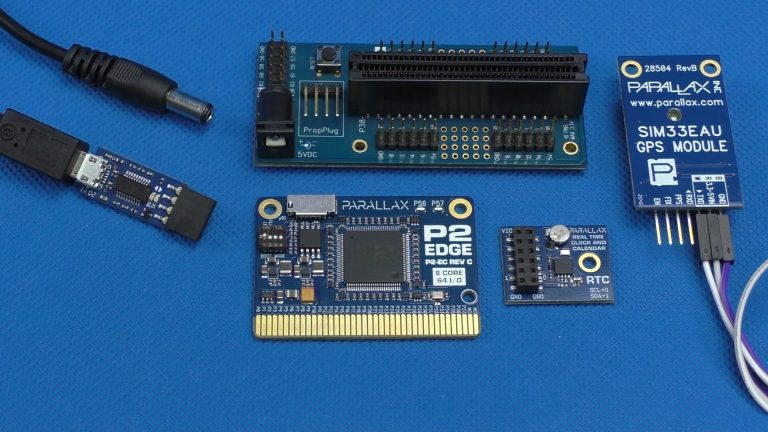
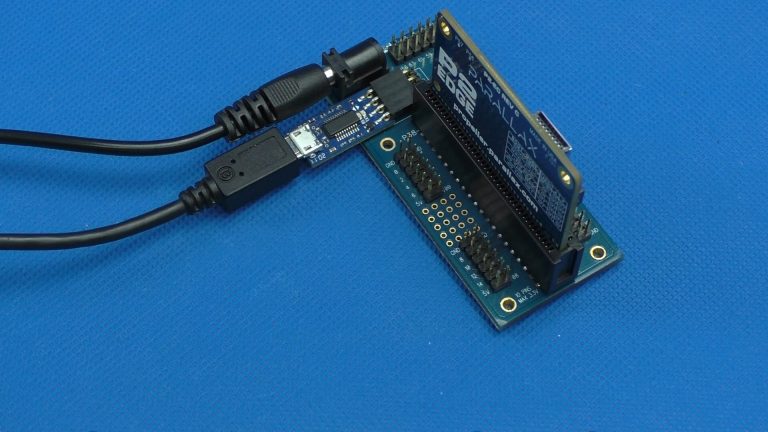
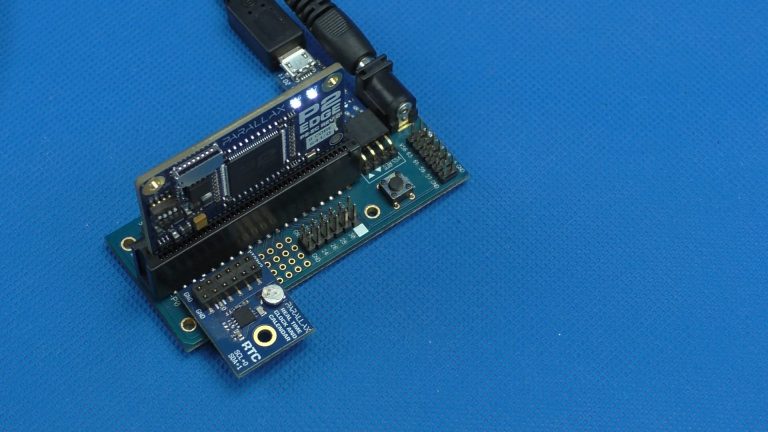
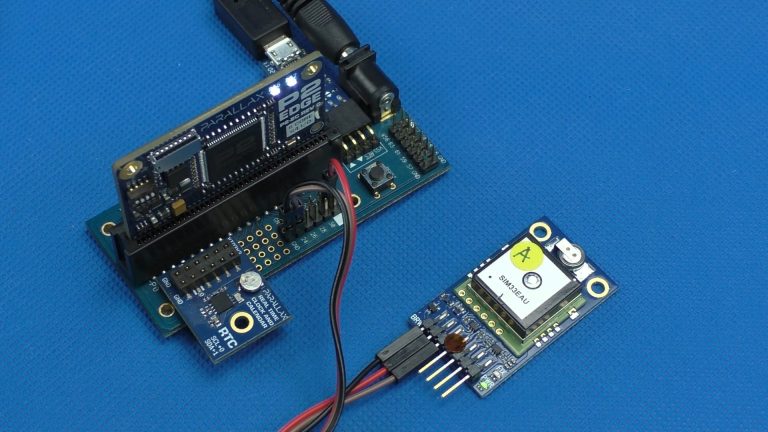
Follow the video above or these pictures to wire up the hardware listed under Parts Used (below).
Parts Used #
- P2 RTC Add-on Board
- SIM33EAU GPS Module
- 200mm Jumper Wires, FF 40-piece Ribbon
- P2 Edge Module
- P2 Edge Mini Breakout Board
- USB Mains Adapter, 18W, 5V, 3A
- USB A to DC 2.1mm Jack Cable
- Prop Plug Rev E
- USB A to Micro B Cable


