Description #
This Quick Byte details the setup to configure Visual Studio Code (VSC) to program the Propeller 2 (the P2, or P2X8C4M64P) on Windows. The process for Mac, RaspPi, and Linux operating systems is similar and not detailed in this post – but the differences are shown on Stephen Moraco’s “Iron Sheep” GitHub (link at bottom).
VSC with the Spin2 extension provides syntax highlighting and compiling/downloading to a Propeller via add-in compilers with the familiarity of a very popular programming environment.
The software required includes Microsoft VSC, the Spin2 extension (Stephen Moraco’s Iron Sheep Software), and the PNut software (Windows only; Parallax Inc.) or the FlexProp software (Mac, Linux and RaspPi; Total Spectrum Software). All software is open source, freely available, and easily configured to compile and download to the P2. Additionally, an ANSI-compliant terminal program of your choice (Parallax Serial Terminal, TerraTerm, CoolTerm, etc) may also be used for serial debug. You will also have access to other VSC Marketplace extensions [like Error Lens, one of my favorites].
These instructions are for configuring the P2 with VSC under Windows. You can obtain more specific instructions for all supported operating systems from Stephen Moraco’s “Iron Sheep” GitHub.
Note: the bottom of this document includes a summary of links to important resources.
Thank You to the Contributors
The P2 open source community is motivated by user feedback from the Parallax forums, the Propeller 2 Live Forums and messages of appreciation. If you benefit from this Quick Byte, we encourage you to join Parallax and also recognize their contributions through their Patreon accounts:
- Eric Smith, Total Spectrum Software
- Stephen Moraco, Iron Sheep Software
- Cluso99 on the Parallax forums
Considerations Between PNut (Parallax) and FlexSpin (Total Spectrum Software) Compilers
PNut is the official Parallax compiler and was written in X86 assembly for use in the Propeller Tool for Windows. FlexSpin is the compiler created by Eric Smith of Total Spectrum Software, written in C. While efforts are made to ensure Parallax-published Quick Byte examples run in both compilers and that FlexSpin remains largely compatible, there are likely to be some small differences. PNut includes the graphical debug tools (`debug) and FlexSpin does not. Both compilers support Spin2 and PASM languages, but FlexSpin supports the mixing of objects with BASIC and C, along with some Propeller 1 (P1, or P8X32A) Spin 1 code.
Details about FlexSpin are available on the Parallax forums FlexProp thread, and details about PNut are on the PNut thread. The PNut Tool is just a test-area for compiler changes before the compiler makes its way into the Propeller Tool for Windows, the official Parallax tool.
If you encounter compilation issues with FlexSpin, you can report them on the FlexProp thread or to the Total Spectrum Software GitHub.
Step 0: Download and Install VSC + Unzip PNut or FlexProp
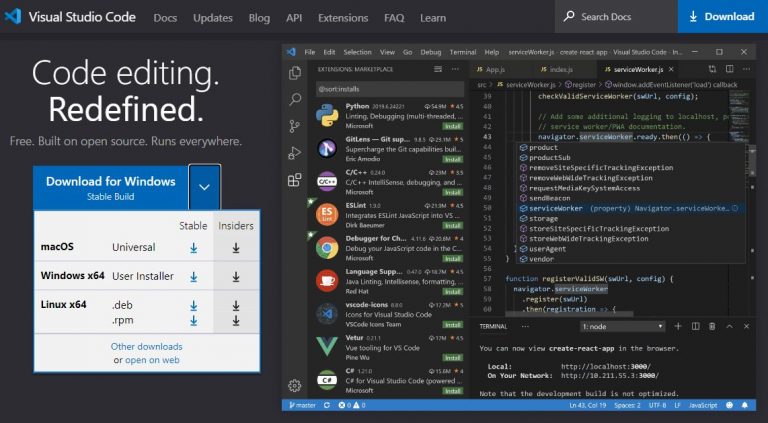
- Download Visual Studio Code for your operating system
- Install VSC; all the default options are appropriate
–AND–
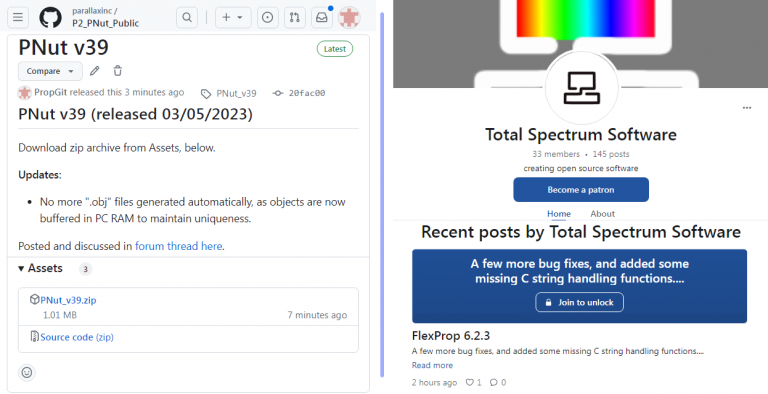
- Download PNut from the P2 PNut Releases page
- Extract the zip into a folder of your choice; we recommend: C:\Programs\PNut
–or–
- Download FlexProp from the Total Spectrum Software Patreon page
- Extract the zip into a folder of your choice; we recommend: C:\Programs\FlexProp
NOTE: Neither PNut nor FlexProp have installers, so extracting into a proper folder is needed. Creating a “Programs” folder is a suggestion that may avoid user permission issues associated with the “Program Files” folder.
Step 1: Launch VSC, Install the Spin2 Extension
- Run the VSC software
- Click on the Extensions icon (Ctrl+Shift+X) and type “Spin2” in the search box
- Click the “Install” button to add the Spin2 extension, then select Set Color Theme and choose “Spin2 Ironsheep Dark”
Step 2: Setup Tasks
Visual Studio Code uses a JSON format file (tasks.json) to add compile and download functionality for the Propeller 2. To update your tasks.json file:
- Type Ctrl+Shift+P then type “tasks” and select the “Tasks: Open User Tasks” item in the results list
- If prompted for a Task Template, select Others
- The tasks.json file should open in the editor – it may contain something similar to the first five lines in the example below
- Copy the entire example below and paste it into the editor, completely replacing the current contents of tasks.json
- Select File > Save and close the tasks.json editor tab
{
  // See https://go.microsoft.com/fwlink/?LinkId=733558
  // for the documentation about the tasks.json format
  "version": "2.0.0",
  "tasks": [
    {
      "label": "compileP2",
      "type": "shell",
      "osx": {
        "command": "/Applications/flexprop/bin/flexspin.mac"
      },
      "windows": {
        "command": "flexspin.exe"
      },
      "linux": {
        "command": "/opt/flexprop/bin/flexspin"
      },
      "args": ["-2", "-Wabs-paths", "-Wmax-errors=99", "${fileBasename}"],
      "problemMatcher": {
        "owner": "Spin2",
        "fileLocation": ["autoDetect", "${workspaceFolder}"],
        "pattern": {
          "regexp": "^(.*):(\\d+):\\s+(warning|error):\\s+(.*)$",
          "file": 1,
          "line": 2,
          "severity": 3,
          "message": 4
        }
      },
      "presentation": {
        "panel": "dedicated",
        "focus": false,
        "showReuseMessage": false,
        "clear": true
      },
      "group": {
        "kind": "build",
        "isDefault": true
      }
    },
    {
      "label": "compileTopP2",
      "type": "shell",
      "osx": {
        "command": "/Applications/flexprop/bin/flexspin.mac"
      },
      "windows": {
        "command": "flexspin.exe"
      },
      "linux": {
        "command": "/opt/flexprop/bin/flexspin"
      },
      "args": ["-2", "-Wabs-paths", "-Wmax-errors=99", "${config:topLevel}.spin2"],
      "problemMatcher": {
        "owner": "Spin2",
        "fileLocation": ["autoDetect", "${workspaceFolder}"],
        "pattern": {
          "regexp": "^(.*):(\\d+):\\s+(warning|error):\\s+(.*)$",
          "file": 1,
          "line": 2,
          "severity": 3,
          "message": 4
        }
      },
      "presentation": {
        "panel": "dedicated",
        "focus": false,
        "showReuseMessage": false,
        "clear": true
      },
      "group": {
        "kind": "build",
        "isDefault": true
      }
    },
    {
      "label": "downloadP2",
      "type": "shell",
      "osx": {
        "command": "/Applications/flexprop/bin/loadp2.mac",
        "args": ["-b230400", "${config:topLevel}.binary", "-t"]
      },
      "windows": {
        "command": "loadp2.exe",
        "args": ["-b230400", "${config:topLevel}.binary", "-t"]
      },
      "linux": {
        "command": "/opt/flexprop/bin/loadp2",
        "args": ["-b230400", "${config:topLevel}.binary", "-t", "-p/dev/ttyUSB0"]
      },
      "problemMatcher": [],
      "presentation": {
        "panel": "dedicated",
        "focus": false,
        "showReuseMessage": false,
        "clear": true
      },
      "group": {
        "kind": "test",
        "isDefault": true
      },
      "dependsOn": ["compileTopP2"]
    },
    {
      "label": "flashP2",
      "type": "shell",
      "osx": {
        "command": "/Applications/flexprop/bin/loadp2.mac",
        "args": ["-b230400", "@0=/Applications/flexprop/board/P2ES_flashloader.bin,@8000+${config:topLevel}.binary", "-t", "-k"]
      },
      "windows": {
        "command": "loadp2.exe",
        "args": ["-b230400", "@0=${env:FlexPropPath}/board/P2ES_flashloader.bin,@8000+${config:topLevel}.binary", "-t", "-k"]
      },
      "linux": {
        "command": "/opt/flexprop/bin/loadp2",
        "args": ["-b230400", "@0=/opt/flexprop/board/P2ES_flashloader.bin,@8000+${config:topLevel}.binary", "-t", "-p/dev/ttyUSB0"]
      },
      "problemMatcher": [],
      "presentation": {
        "panel": "dedicated",
        "focus": false,
        "showReuseMessage": false,
        "clear": true
      },
      "group": {
        "kind": "test",
        "isDefault": true
      },
      "dependsOn": ["compileTopP2"]
    },
    {
      "label": "compilePNut2",
      "type": "shell",
      "command": "echo",
      "args": ["Avail on  windows only!"],
      "windows": {
        "command": "pnut_shell.bat",
        "args": ["${fileBasename}", "-c"]
      },
      "problemMatcher": {
        "owner": "Spin2",
        "fileLocation": ["autoDetect", "${workspaceFolder}"],
        "pattern": {
          "regexp": "^(.*):(\\d+):\\s*(warning|error):\\s*(.*)$",
          "file": 1,
          "line": 2,
          "severity": 3,
          "message": 4
        }
      },
      "presentation": {
        "panel": "dedicated",
        "focus": false,
        "showReuseMessage": false,
        "clear": true
      },
      "group": {
        "kind": "build",
        "isDefault": true
      }
    },
    {
      "label": "compileTopPNut2",
      "type": "shell",
      "command": "echo",
      "args": ["Avail on  windows only!"],
      "windows": {
        "command": "pnut_shell.bat",
        "args": ["${config:topLevel}.spin2", "-c"]
      },
      "problemMatcher": {
        "owner": "Spin2",
        "fileLocation": ["autoDetect", "${workspaceFolder}"],
        "pattern": {
          "regexp": "^(.*):(\\d+):\\s+(warning|error):\\s+(.*)$",
          "file": 1,
          "line": 2,
          "severity": 3,
          "message": 4
        }
      },
      "presentation": {
        "panel": "dedicated",
        "focus": false,
        "showReuseMessage": false,
        "clear": true
      },
      "group": {
        "kind": "build",
        "isDefault": true
      }
    },
    {
      "label": "downloadPNut2",
      "type": "shell",
      "command": "echo",
      "args": ["Avail on  windows only!"],
      "windows": {
        "command": "pnut_shell.bat",
        "args": ["${config:topLevel}.spin2", "-r"]
      },
      "problemMatcher": {
        "owner": "Spin2",
        "fileLocation": ["autoDetect", "${workspaceFolder}"],
        "pattern": {
          "regexp": "^(.*):(\\d+):\\s+(warning|error):\\s+(.*)$",
          "file": 1,
          "line": 2,
          "severity": 3,
          "message": 4
        }
      },
      "presentation": {
        "panel": "dedicated",
        "focus": false,
        "showReuseMessage": false,
        "clear": true
      },
      "group": {
        "kind": "test",
        "isDefault": true
      }
    },
    {
      "label": "downloadDebugPNut2",
      "type": "shell",
      "command": "echo",
      "args": ["Avail on  windows only!"],
      "windows": {
        "command": "pnut_shell.bat",
        "args": ["${config:topLevel}.spin2", "-rd"]
      },
      "problemMatcher": {
        "owner": "Spin2",
        "fileLocation": ["autoDetect", "${workspaceFolder}"],
        "pattern": {
          "regexp": "^(.*):(\\d+):\\s+(warning|error):\\s+(.*)$",
          "file": 1,
          "line": 2,
          "severity": 3,
          "message": 4
        }
      },
      "presentation": {
        "panel": "dedicated",
        "focus": false,
        "showReuseMessage": false,
        "clear": true
      },
      "group": {
        "kind": "test",
        "isDefault": true
      }
    },
    {
      "label": "flashPNut2",
      "type": "shell",
      "command": "echo",
      "args": ["Avail on  windows only!"],
      "windows": {
        "command": "pnut_shell.bat",
        "args": ["${config:topLevel}.spin2", "-f"]
      },
      "problemMatcher": {
        "owner": "Spin2",
        "fileLocation": ["autoDetect", "${workspaceFolder}"],
        "pattern": {
          "regexp": "^(.*):(\\d+):\\s+(warning|error):\\s+(.*)$",
          "file": 1,
          "line": 2,
          "severity": 3,
          "message": 4
        }
      },
      "presentation": {
        "panel": "dedicated",
        "focus": false,
        "showReuseMessage": false,
        "clear": true
      },
      "group": {
        "kind": "test",
        "isDefault": true
      }
    }
  ]
}
Step 3: Setup Path for your P2 Compiler of Choice in Windows
For VSC Tasks to activate the tools properly, you need to set your Windows “Path” Environment Variable to point to them.
- Open Windows Explorer and navigate to the folder where you extracted the PNut software, or to the “bin” subfolder within the folder where you extracted the FlexProp software
- Copy the path in the URL field
- Click on the Windows Start button, type “environment” and select “Edit the system environment variables“
- On the System Properties window click the Environment Variables… button
- Double-click the Path item in the System variables section, click the New… button, and paste the path you copied earlier
- Click the OK button
- Back on the Environment Variables window, click the New… button in the System variables section to create a new variable
- In the “Variable name:” field, type “PNutPath” or “FlexPropPath” (depending on the tool you installed), paste the path into the “Variable value:” field, and click the OK button
- Click the OK button on the remaining windows to finalize the changes
- IMPORTANT: Close and restart VSC for the Path change to be recognized
Step 4: Key Bindings
To compile and download to the P2, you’ll need to update VSC’s key bindings JSON file to provide the following functionality:
- Compile – Compile current file [ctrl-shift-B], [F8]
- Compile Top – Compile the top-file of this project
- Download – Download the binary to RAM in our connected P2 [ctrl+shift+d] or [F10]
- Download & Debug – [w/PNut only] Download the binary to RAM in our connected P2 [ctrl+F10]
- Flash – Download and write the binary to FLASH in our connected P2 [ctrl+shift+f] or [F11]
To update your keybindings.json file:
- Type Ctrl+Shift+P (Cmd+Shift+P on mac) then type “keyboard” and select the “Preferences: Open Keyboard Shortcuts (JSON)” item in the results list
- The file should open in the editor and may contain something similar to the first two lines in the example below
- Copy the entire example below and paste it into the editor, completely replacing the current contents of keybindings.json
- Or carefully insert changes as-needed to preserve any existing key bindings you may have
- Select File > Save and close the keybindings.json editor tab
PNut Key Bindings #
FlexProp Key Bindings #
// Place your key bindings in this file to override the defaultsauto[]
// PNut compiler key bindings
[
  {
    "key": "ctrl+shift+d",
    "command": "workbench.action.tasks.runTask",
    "args": "downloadPNut2"
  },
  {
    "key": "ctrl+shift+f",
    "command": "workbench.action.tasks.runTask",
    "args": "flashPNut2"
  },
  {
    "key": "F8",
    "command": "workbench.action.tasks.build",
    "args": "compilePNut2"
  },
  {
    "key": "F10",
    "command": "workbench.action.tasks.runTask",
    "args": "downloadPNut2"
  },
  {
    "key": "ctrl+F10",
    "command": "workbench.action.tasks.runTask",
    "args": "downloadDebugPNut2"
  },
  {
    "key": "F11",
    "command": "workbench.action.tasks.runTask",
    "args": "flashPNut2"
  }
]
// Place your key bindings in this file to override the defaultsauto[]
// FlexProp compiler key bindings
[
{
"key": "ctrl+shift+d",
"command": "workbench.action.tasks.runTask",
"args": "downloadP2"
},
{
"key": "ctrl+shift+f",
"command": "workbench.action.tasks.runTask",
"args": "flashP2"
},
{
"key": "F8",
"command": "workbench.action.tasks.build",
"args": "compileP2"
},
{
"key": "F10",
"command": "workbench.action.tasks.runTask",
"args": "downloadP2"
},
{
"key": "F11",
"command": "workbench.action.tasks.runTask",
"args": "flashP2"
}
]Step 5: Configure settings.json to Identify your Top P2 File (per project)
The compiler needs to know the name of your Spin2 Top File for your project (for multi-object projects).
For each new project you create:
- Create a new subfolder in your project folder, named “.vscode“
- Create a new file within the .vscode subfolder, named “settings.json“
- Copy and paste the following template into a new file
- Replace the your_top_file text with the name of your project’s top Spin2 file (without the extension)
- Select File > Save and close the settings.json editor tab
{
    "topLevel": "your_top_file",
 }
Write Code, Compile and Download to the P2!
Using the keymappings identified above, F8 will compile (only), and F10 or F11 compile and download to RAM or Flash, respectively. Close the terminal window after downloads are finished.
Remember: For Each New Project, Create a .vscode/settings.json Subfolder and File
Every time you begin a new P2 project with VSC, repeat the last step above so VSC knows what source file to start compiling your multi-object project from.
Parts Used #
Source Code #
Programming Language #
- Spin 2
- PASM2
- BASIC (see FlexProp Help for FlexBASIC Language Reference)
- C (see FlexProp Help for C Language Reference)


